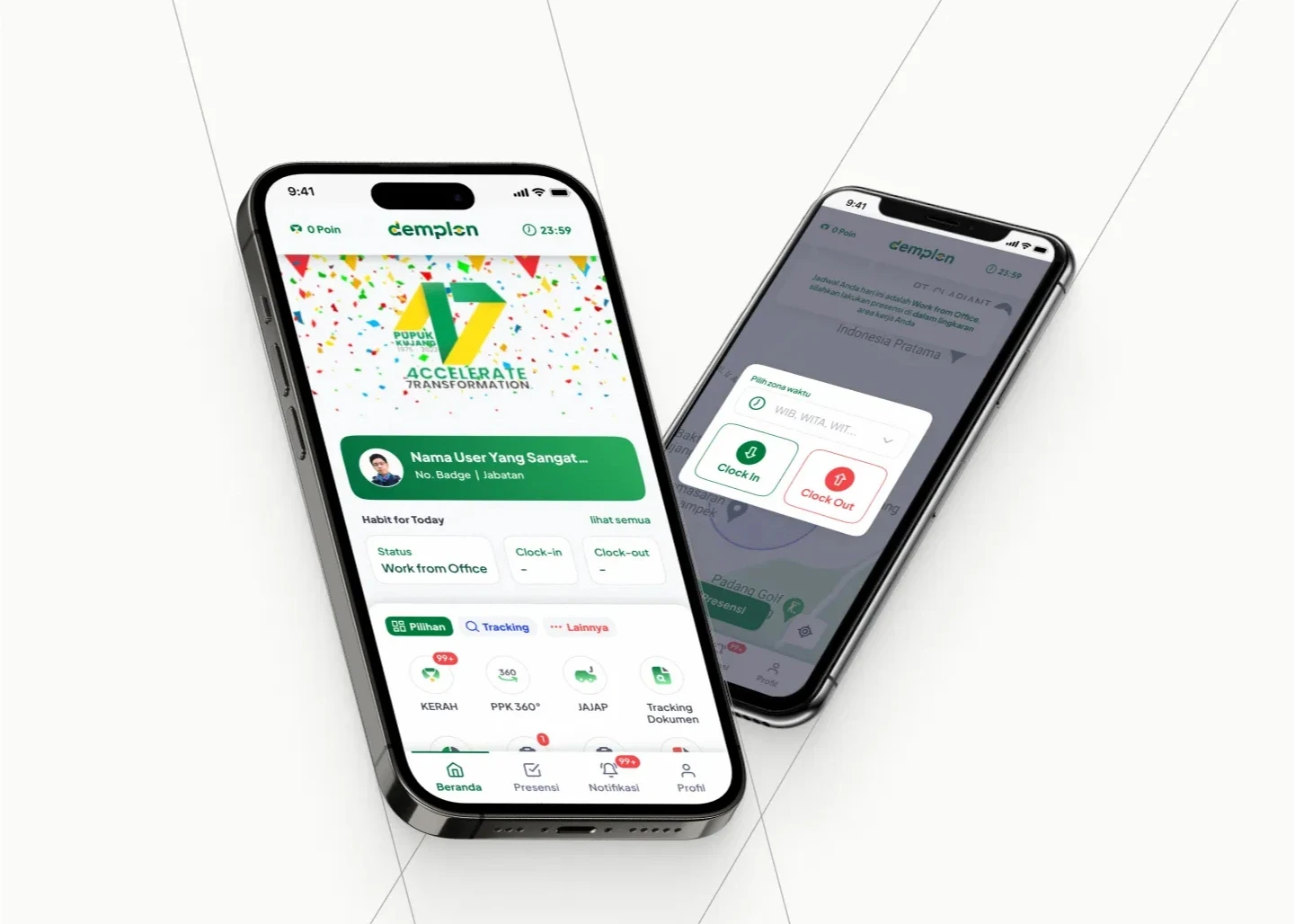
scroll down to the last section for the finished design.
An All-in-One App for Employees
This is my first ever project after I graduated, with the time scope of 20 days. Designing Demplon was a sprint challenge—redesigning a 20+ feature internal super-app in under a month. The biggest challenge was creating a consistent structure that made sense across unrelated utilities, from daily attendance to financial requests. I focused heavily on UX clarity and visual patterns that could scale. It’s a prime example of my ability to bring order to complexity in an enterprise setting.
About
Demplon is an internal super-app for PT. Pupuk Kujang and its 7 KIKC subsidary companies, with around 1.000 employees in the PT. Pupuk Kujang itself. The app offers a range of features like absence management, corporate shuttle service, employee/team assessments, document tracking, and more, making it the ultimate all-in-one solution for their workplace needs.
UI/UX (& Visual) Designer
As the only designer, I am responsible for redesigning the user interface and experience for the mobile app, as well as creating its brand visuals, including the logo, colors, typography, icons, and illustrations.

The Process
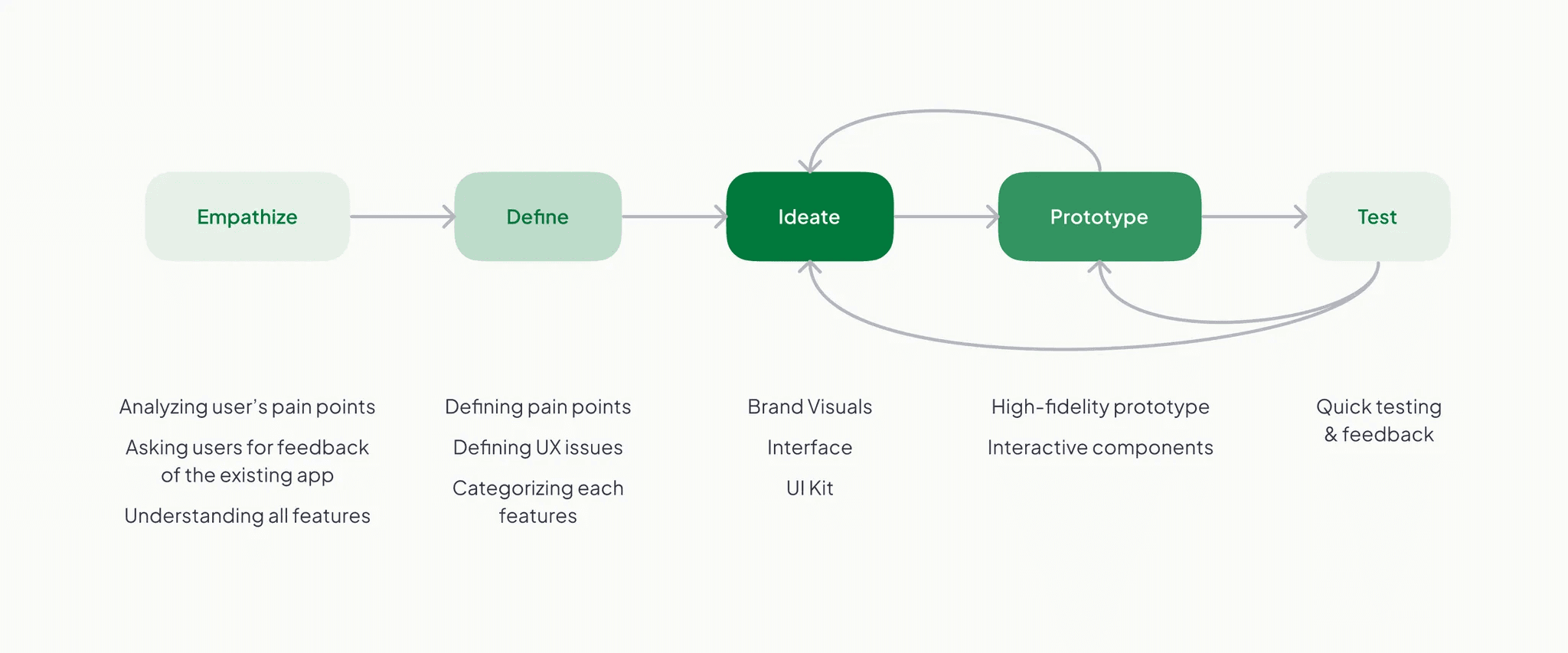
Design thinking is my preferred framework, chosen for its flexible and innovative problem-solving approach. However, given the priority of interface redesign and the tight time frame, executing the process comprehensively with concrete methods like empathy mapping, user journey mapping, personas, and usability testing is highly not feasible. As a result, the primary goal of this project is to craft a fresh interface by integrating UX practices and a comprehensive brand visual that boasts legible design, all while obtaining approval from stakeholders.
Transforming the Super-App Experience: A Complete Interface Revamp
The Challenge:
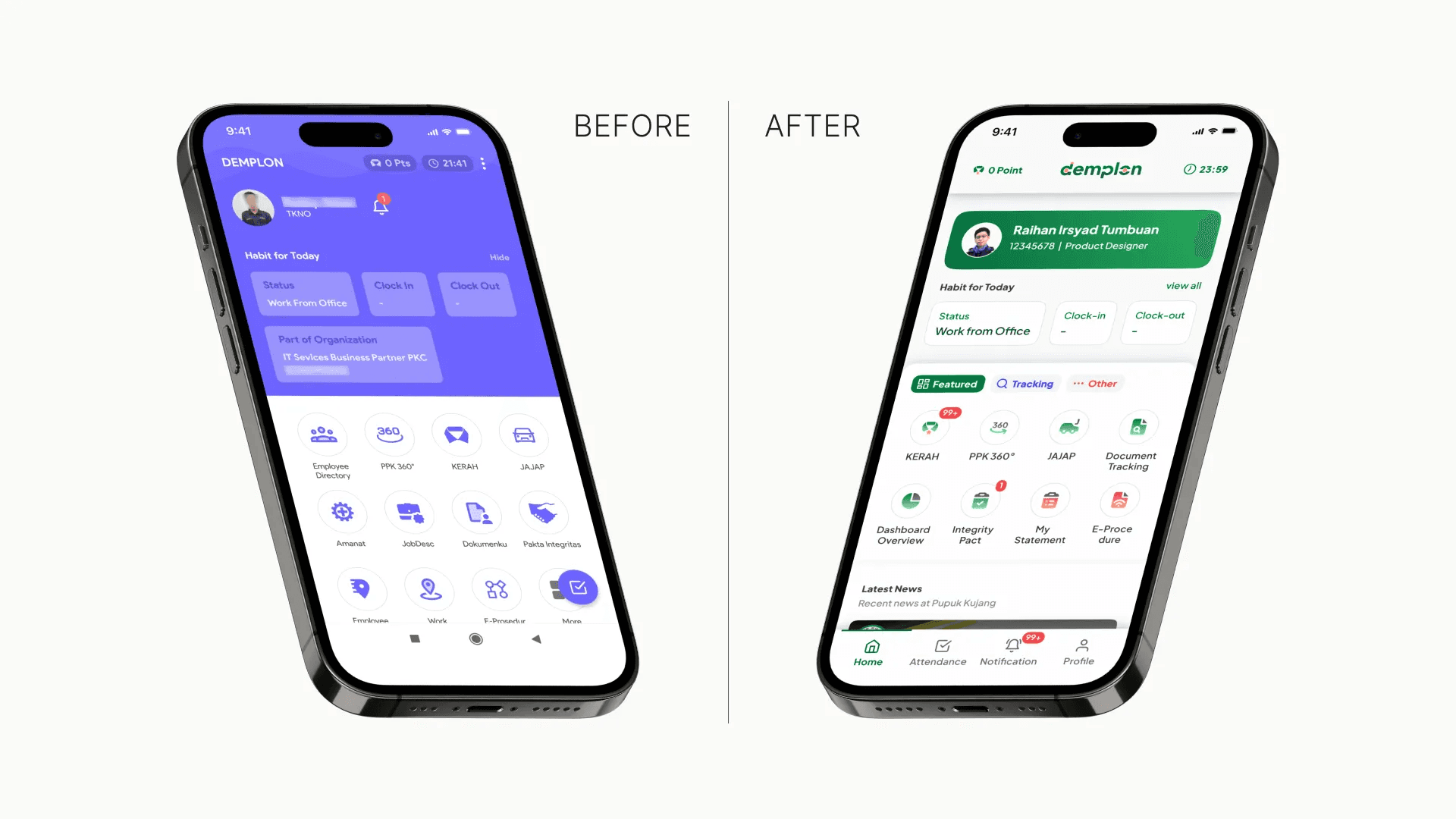
Although the current app functions properly, users are experiencing issues with the user interface and visuals. Many employees feel frustrated when using the existing app, particularly when trying to locate and navigate its features. Another concern from a stakeholder is the app's predominant purple color, which does not align with the commonly associated green that represents Pupuk Kujang and KIKC. Lastly, the final design must be delivered within a month for development and launch at Pupuk Kujang’s anniversary. Unfortunately, extensive user research couldn’t be conducted due to the time limit.
Analyzing The App
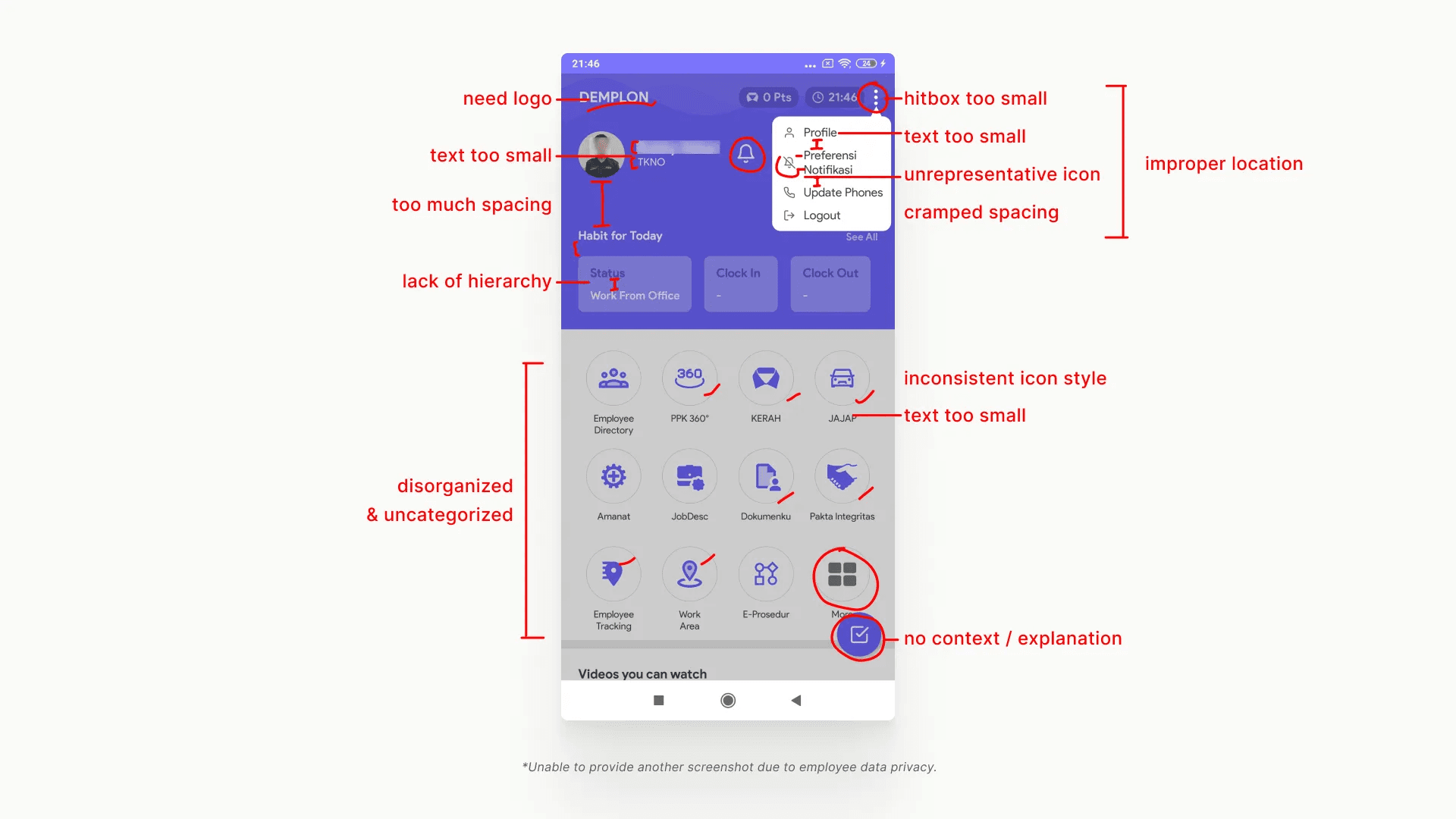
Before jumping on to the high-fidelity and prototype stuff, the first step I took is by analyzing the existing app and asking several employees their general problems when using the app.
How many features are there? What are the purpose of each feature? What are the UX problems found? How do users navigate within the app? …
The most noticeable UX issues are found on the home page, primarily involving small access points and a lack of structured navigation. For instance, when users clicked on "more" to find rest of the features, they were presented with a plain, single-column list of features in a randomized order, lacking any categorization or search function. Another example is that to access the profile, settings, and log out, users need to click on a burger menu with a very small hitbox/touch area.
After analyzing the app, the issues I found are:
Unorganized features and its access points
Texts that are too small
Many hitboxes / component touch areas are too small
Low contrast ratio in several places
Inconsistent design styles
Inconsistent white spaces
Lack of proper navigation
Lack of hierarchy
and many more
Crafting An Integrated Visual
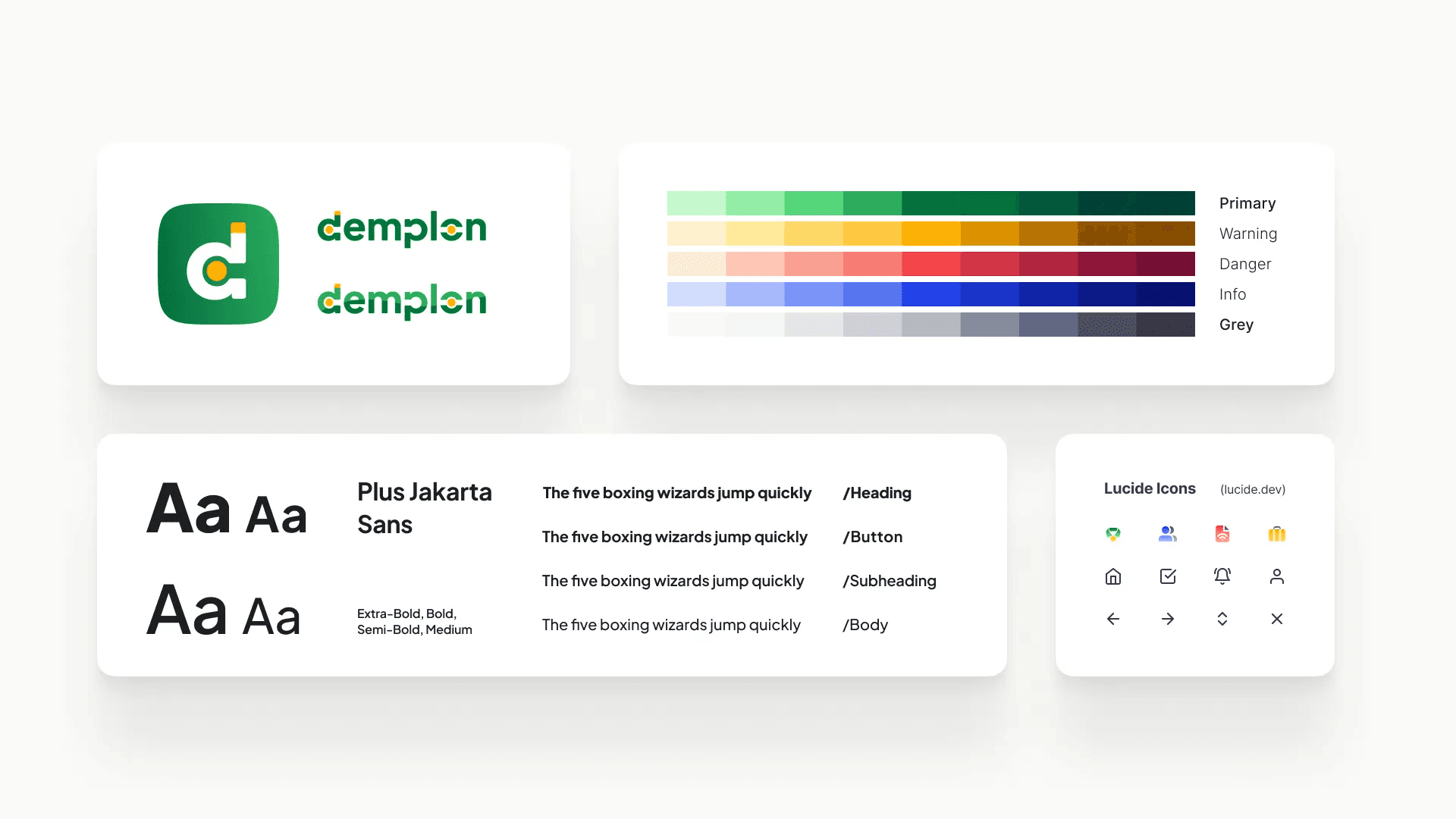
The next step is to develop the brand visuals concurrently with the progress of the app design. This ensures alignment between the designs and the app, maintaining legibility and encompassing what is essential for the app's functionality. During the ideation phase of the interface, I consistently test the design and visuals. Does the color look good and suit the context? Is the typeface legible and fitting? Do I need to define a new text style?
Users’ Feedback
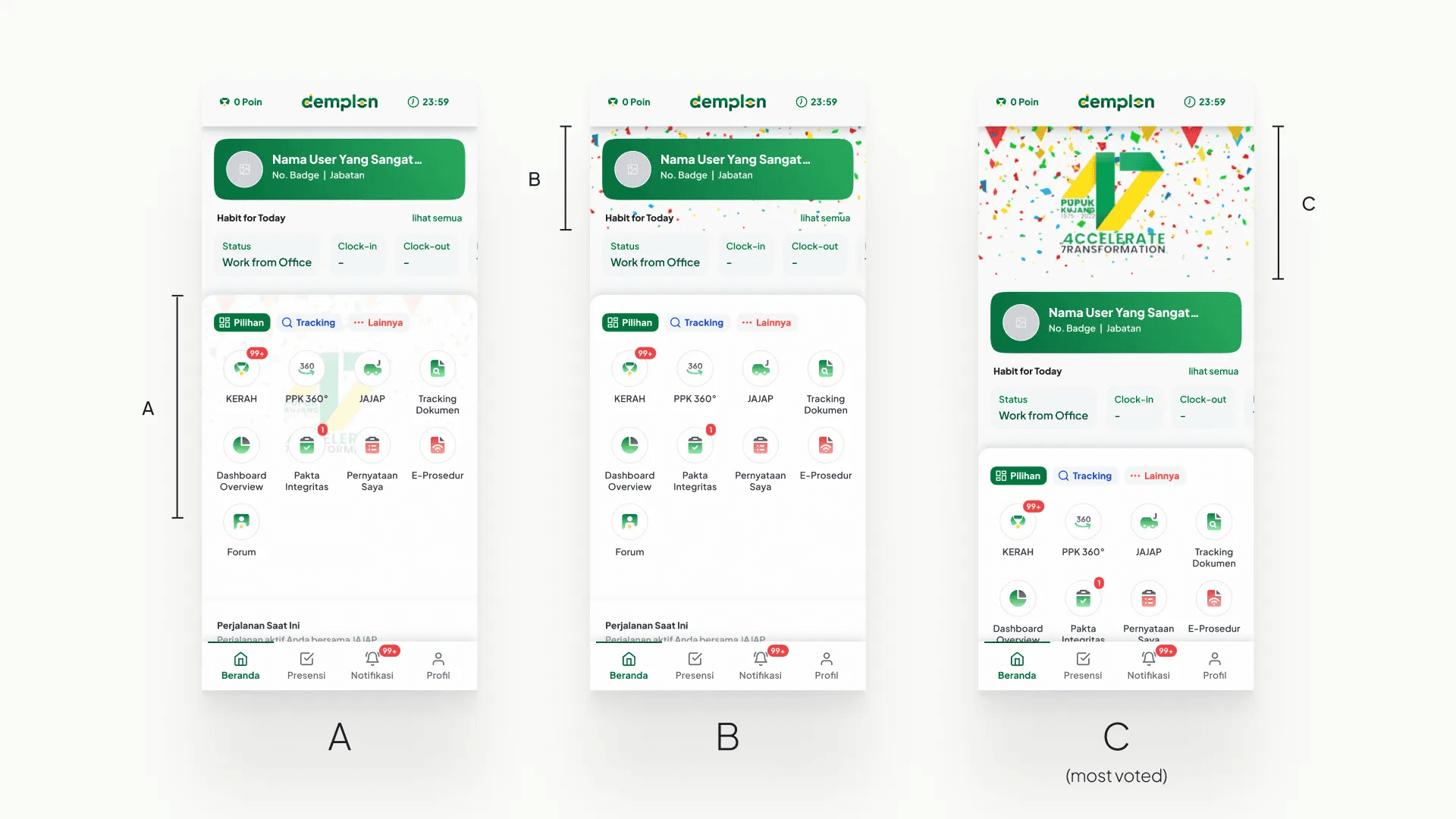
The most important thing to do is to ask users for feedback on the design. Without their feedback, it becomes challenging to accurately assess and improve the user experience. For example, I distributed the home page design to the employees and asked them about the overall design. I inquired about how they felt about the design and if there was anything they liked or disliked. The majority of them voted for the 3rd design (C) and expressed satisfaction with the overall design.
Ensuring Legibility Within Design
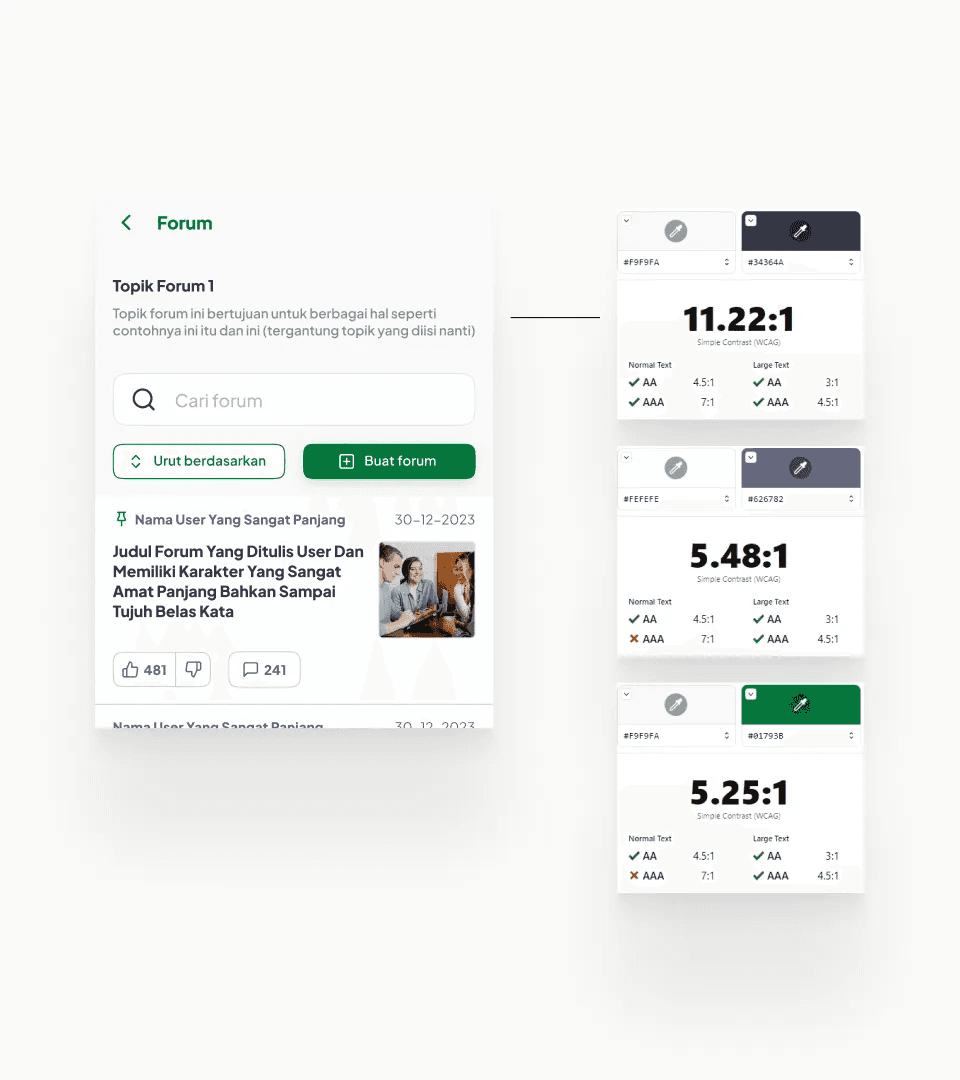 | Contrast is an important aspect in design and one of the primary keys to legible design. Ensuring that the design passes WCAG contrast is crucial because it guarantees that text and interactive elements have sufficient contrast, promoting accessibility and enhancing content readability and usability for a wider range of users. |
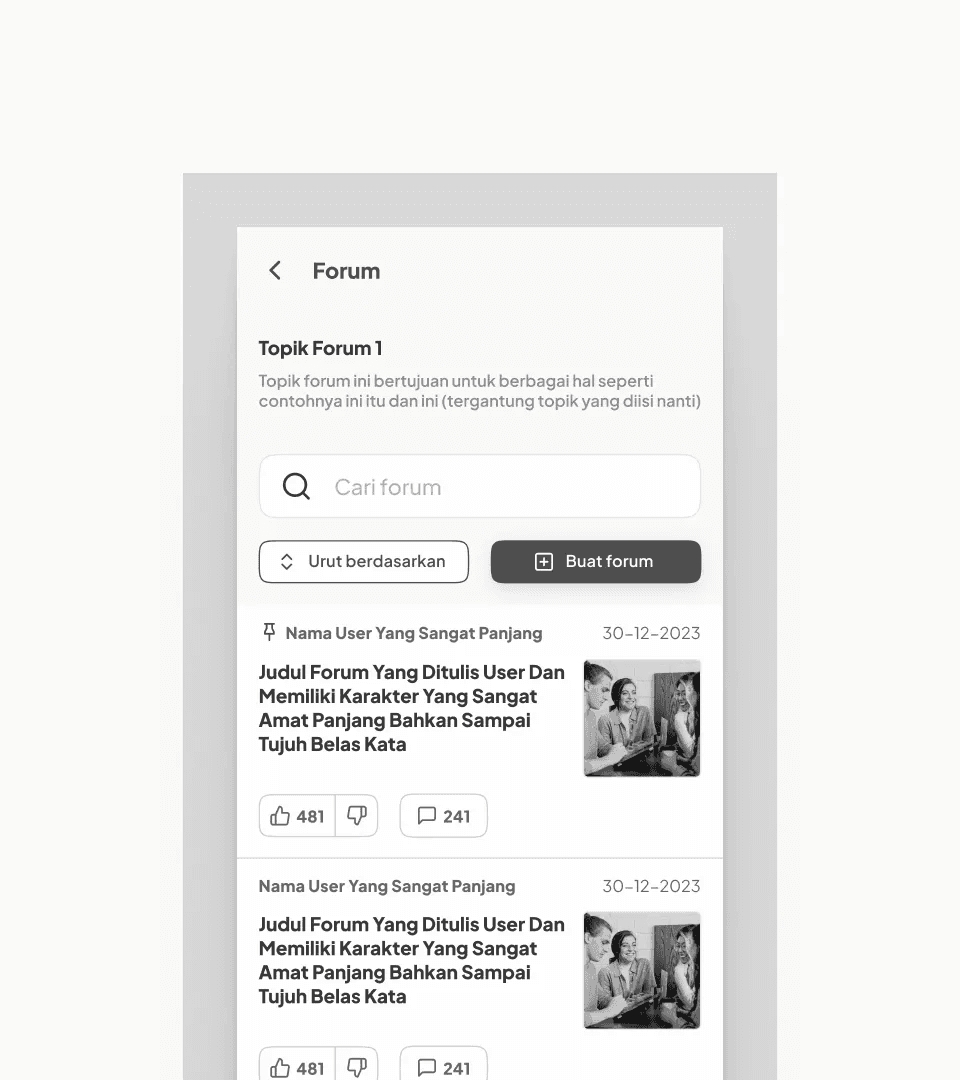 | The Greyscale TrickI found out that not many people know this trick: by using a greyscale view on the design, we could quickly test the contrast legibility of the design, especially for individuals with visual impairments. For me, this trick is great for defining components and colors for the first time. |
A Structured and Responsive Design
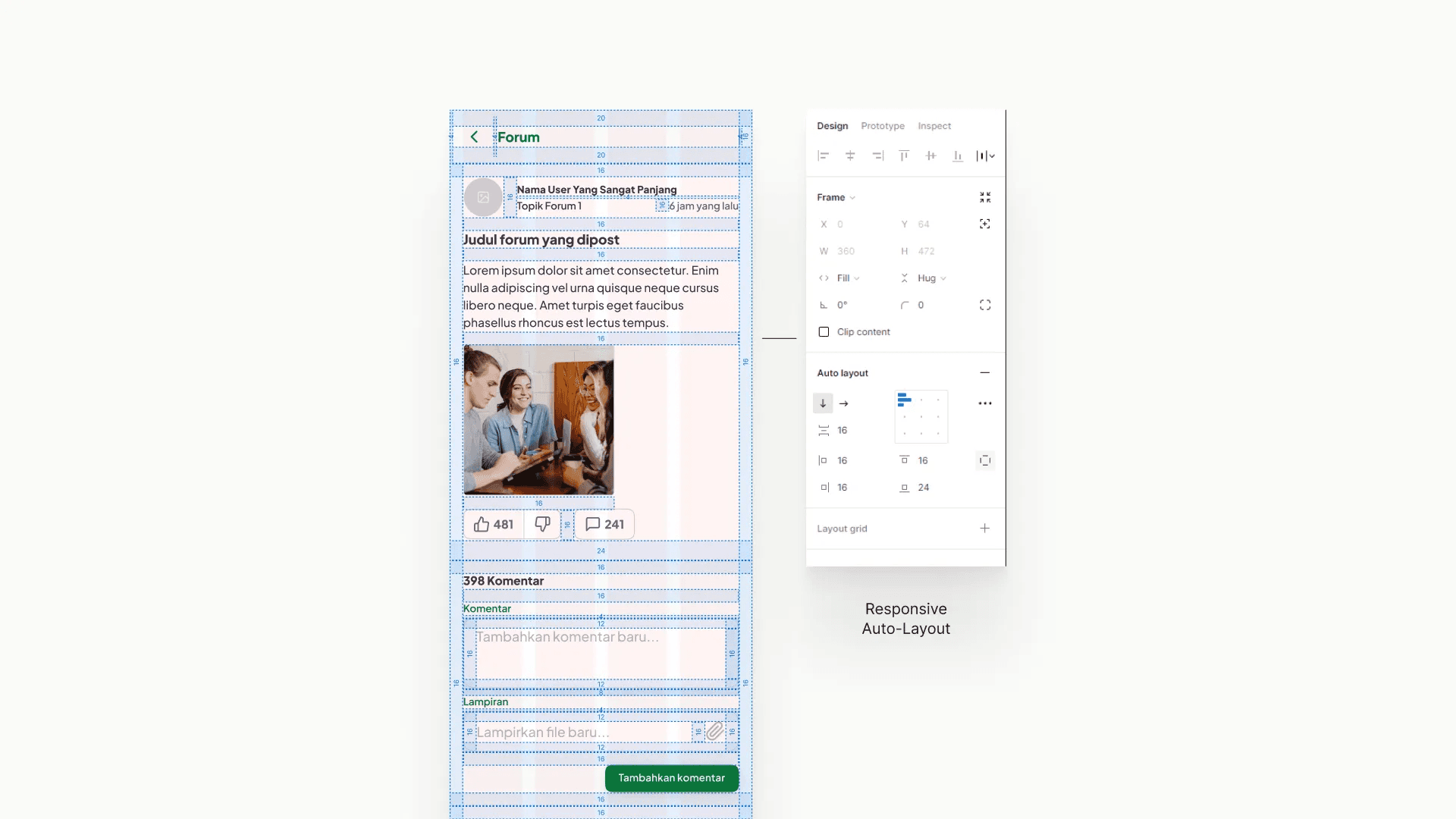
Even in mobile app, I always pay attention to the structure and its responsiveness. The auto-layout feature in Figma helps both designer and developer streamline the design and development process by ensuring consistent and responsive layouts, reducing manual adjustments, and promoting efficient collaboration between the two roles.
Glimpse of The Design
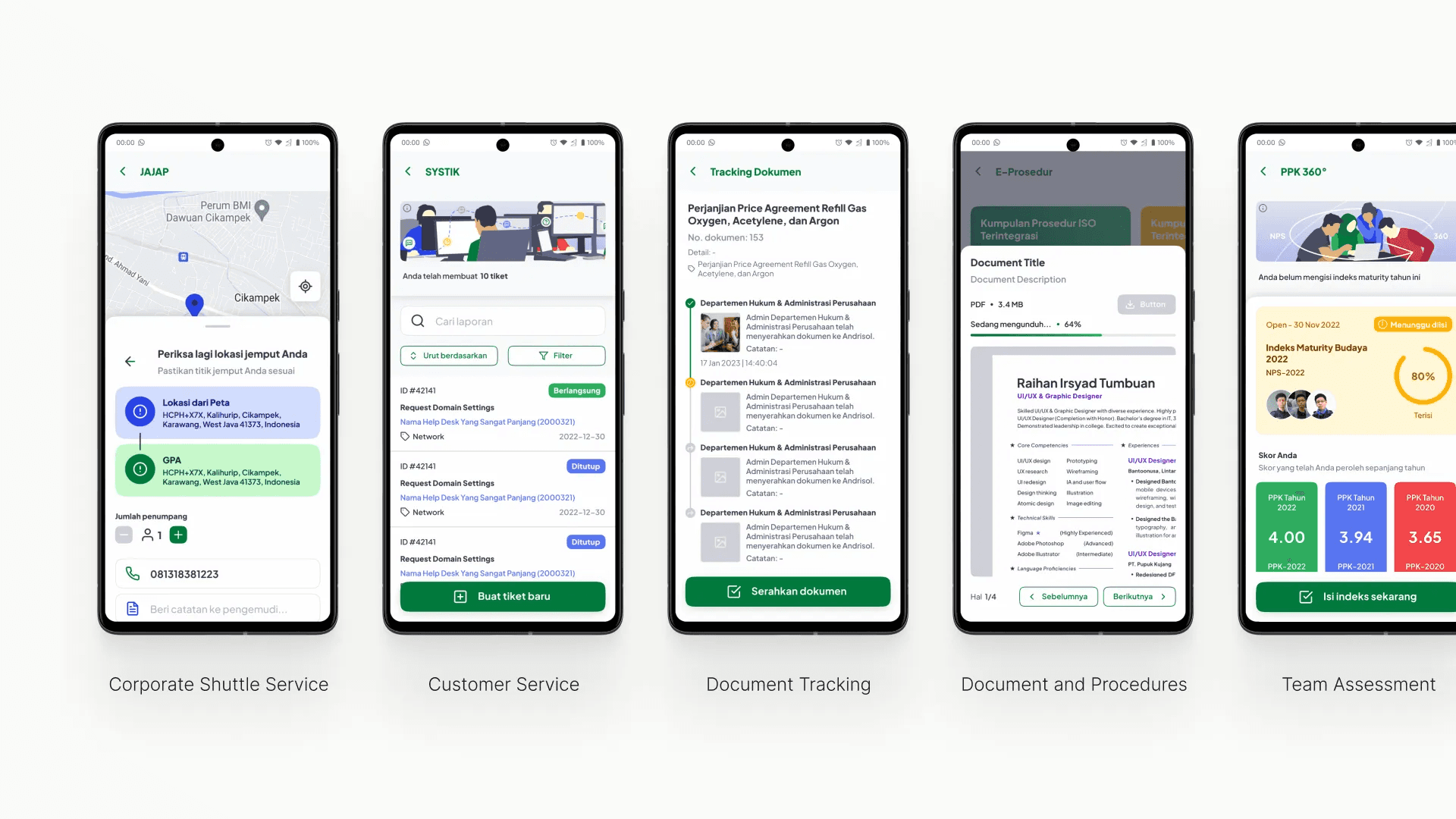
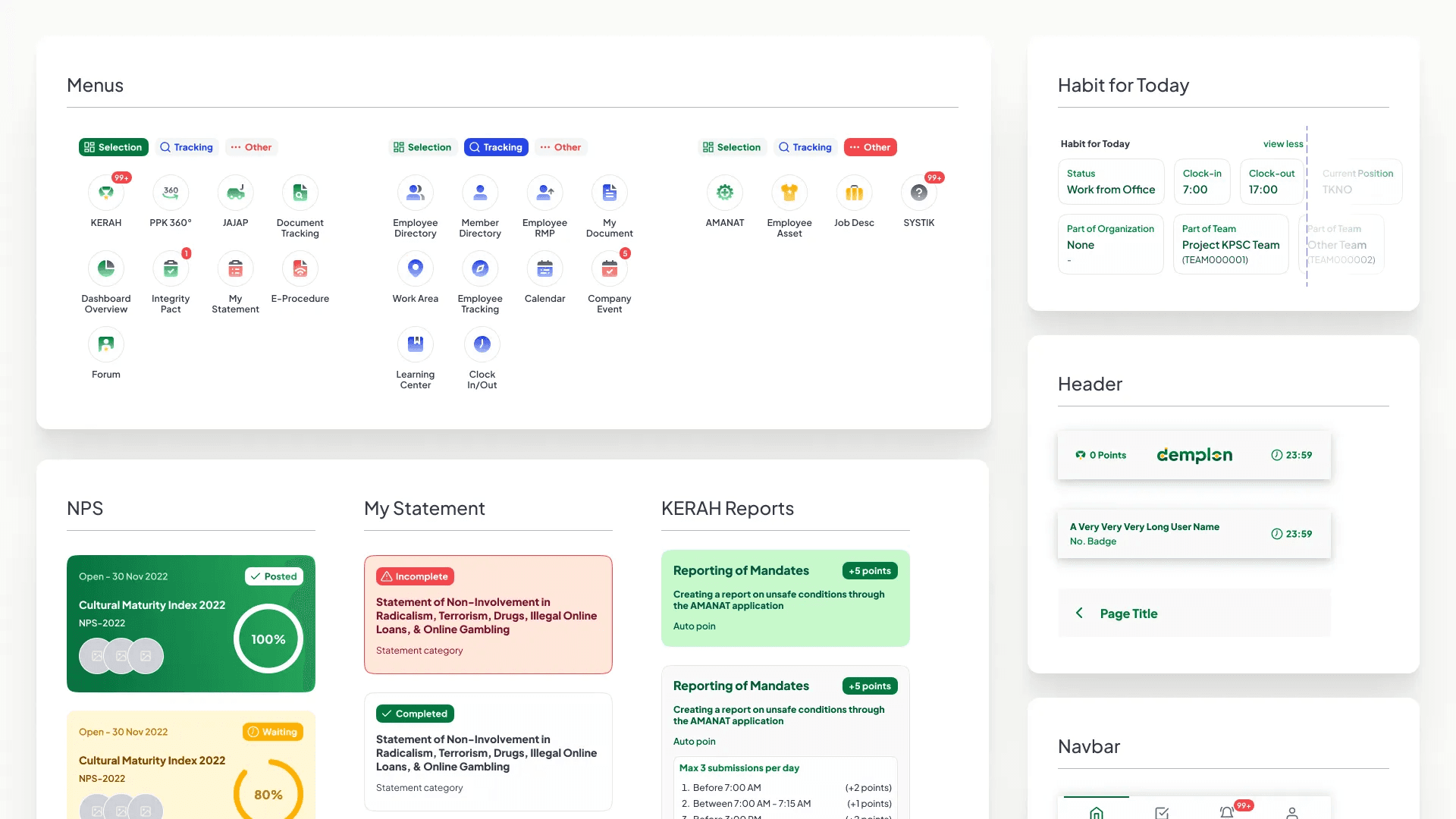
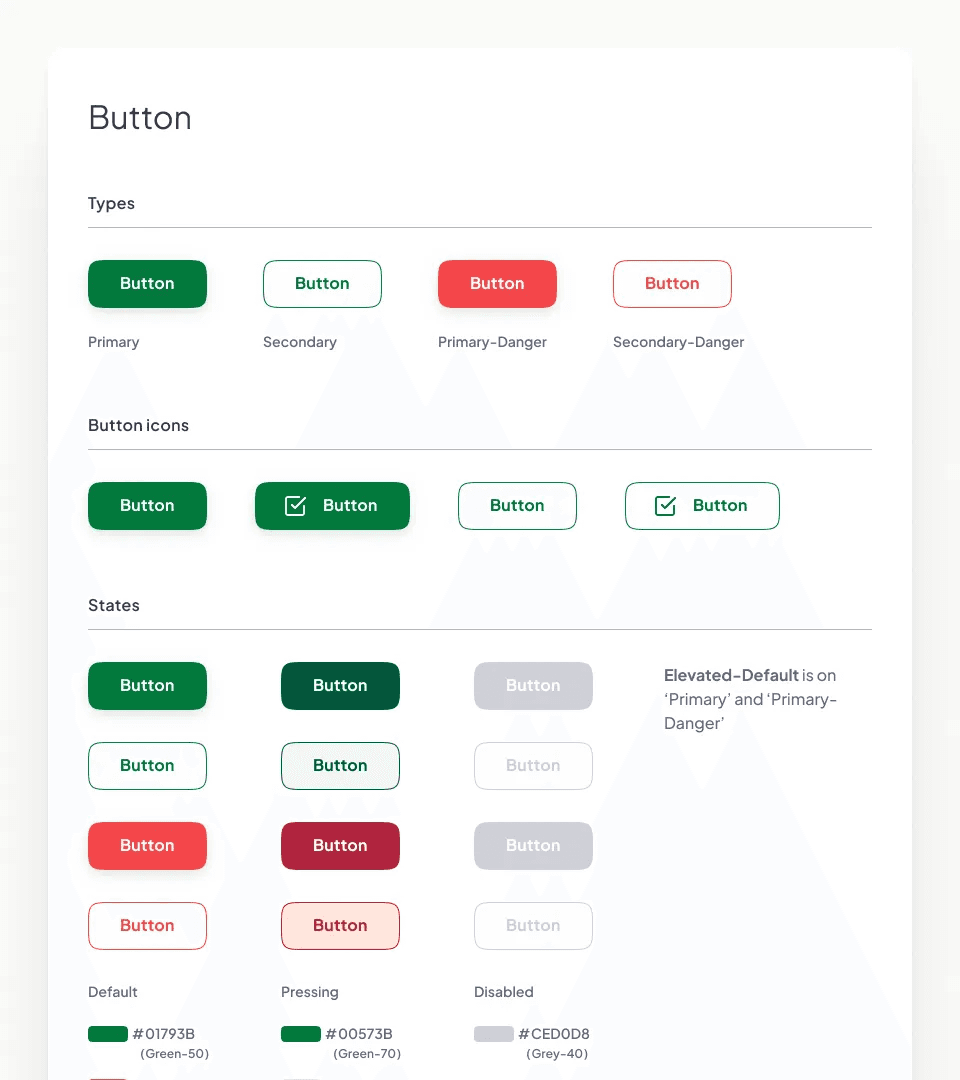
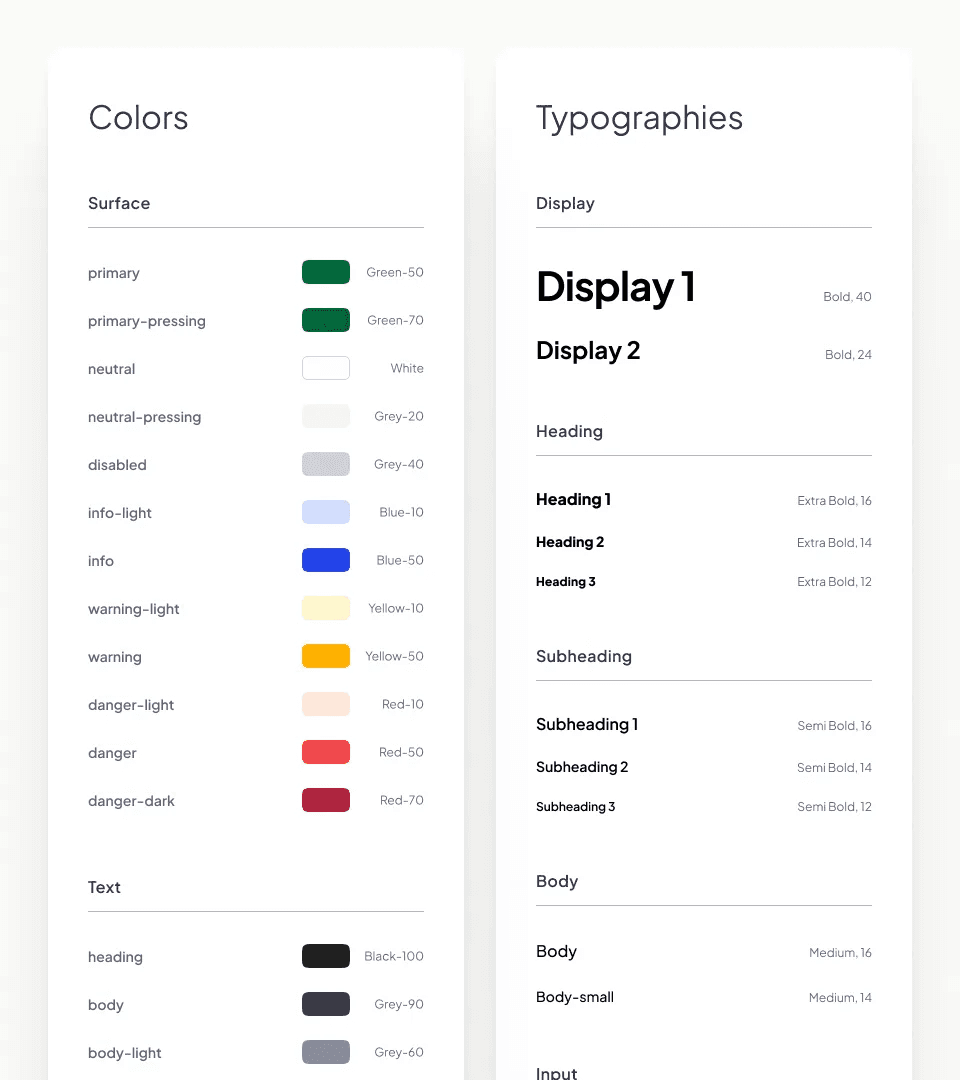
The app design and the design system comprise a total of 20+ features, 40+ pages, 60+ components, and 300+ component variants. Here are some examples of the design system and features on which I've worked:
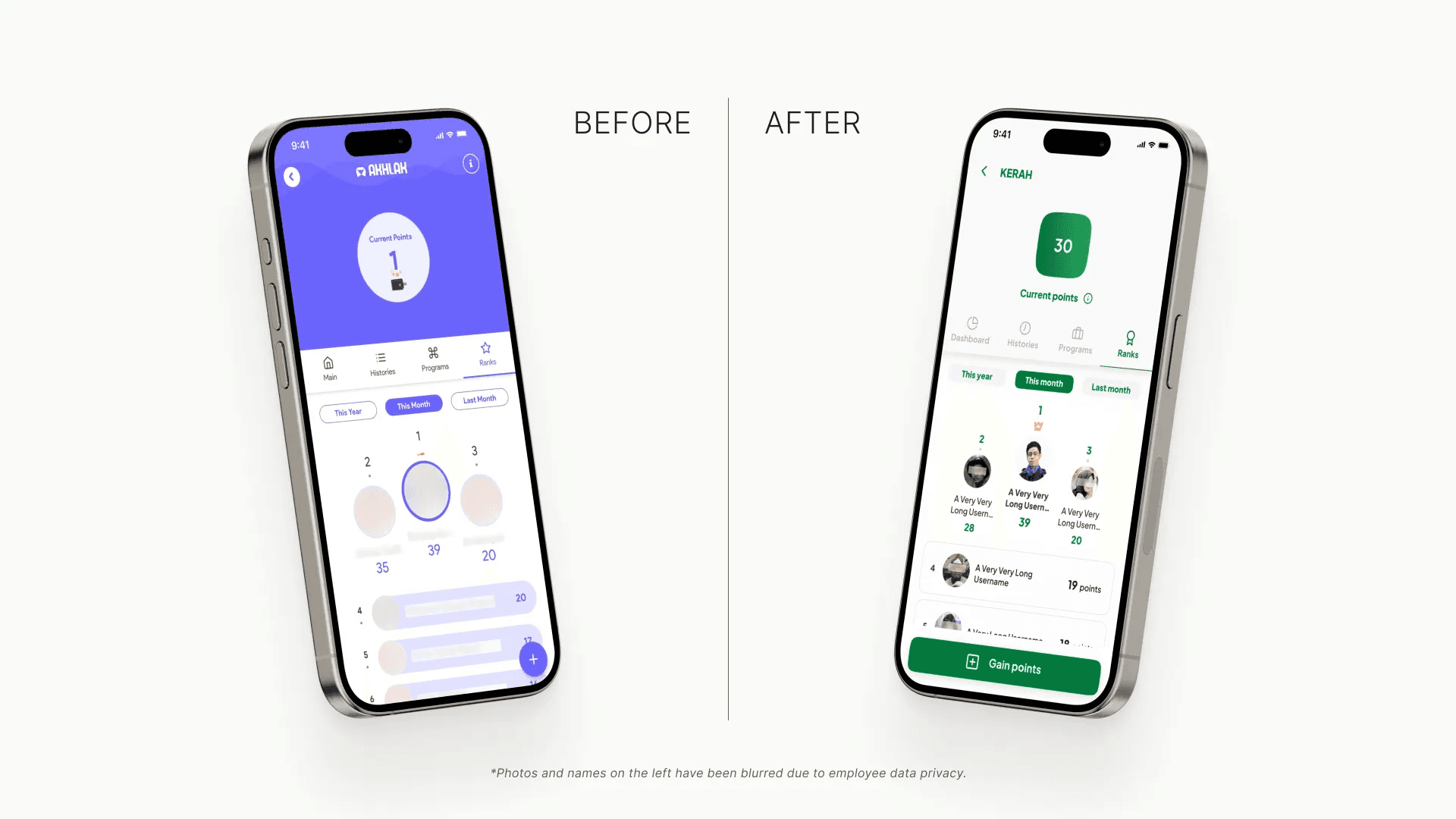
KERAH: Point-Based Incentive System
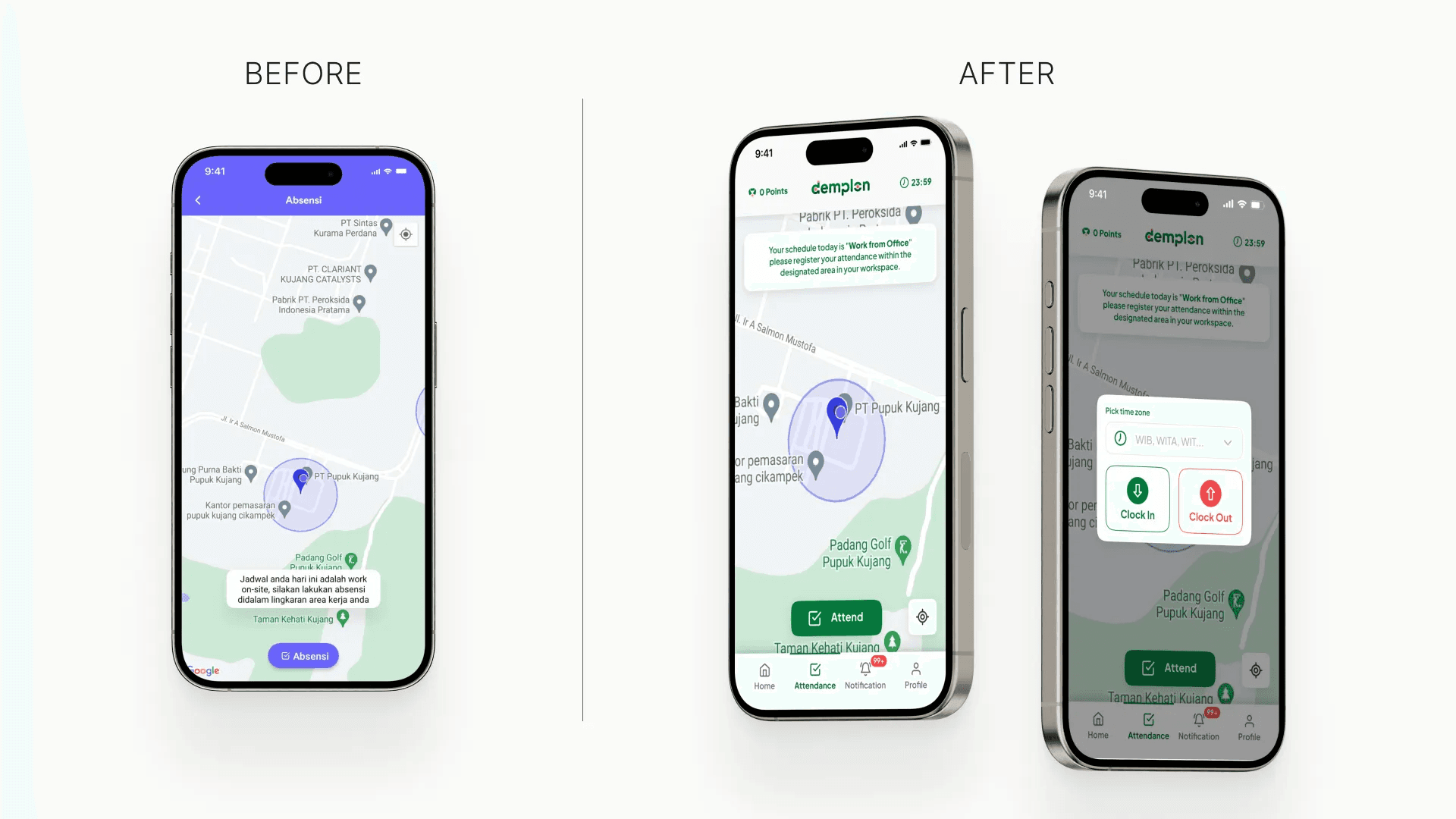
GPS-Based Attendance
Other Features
Design System
 |  |
Extras: Behind The Illustrations
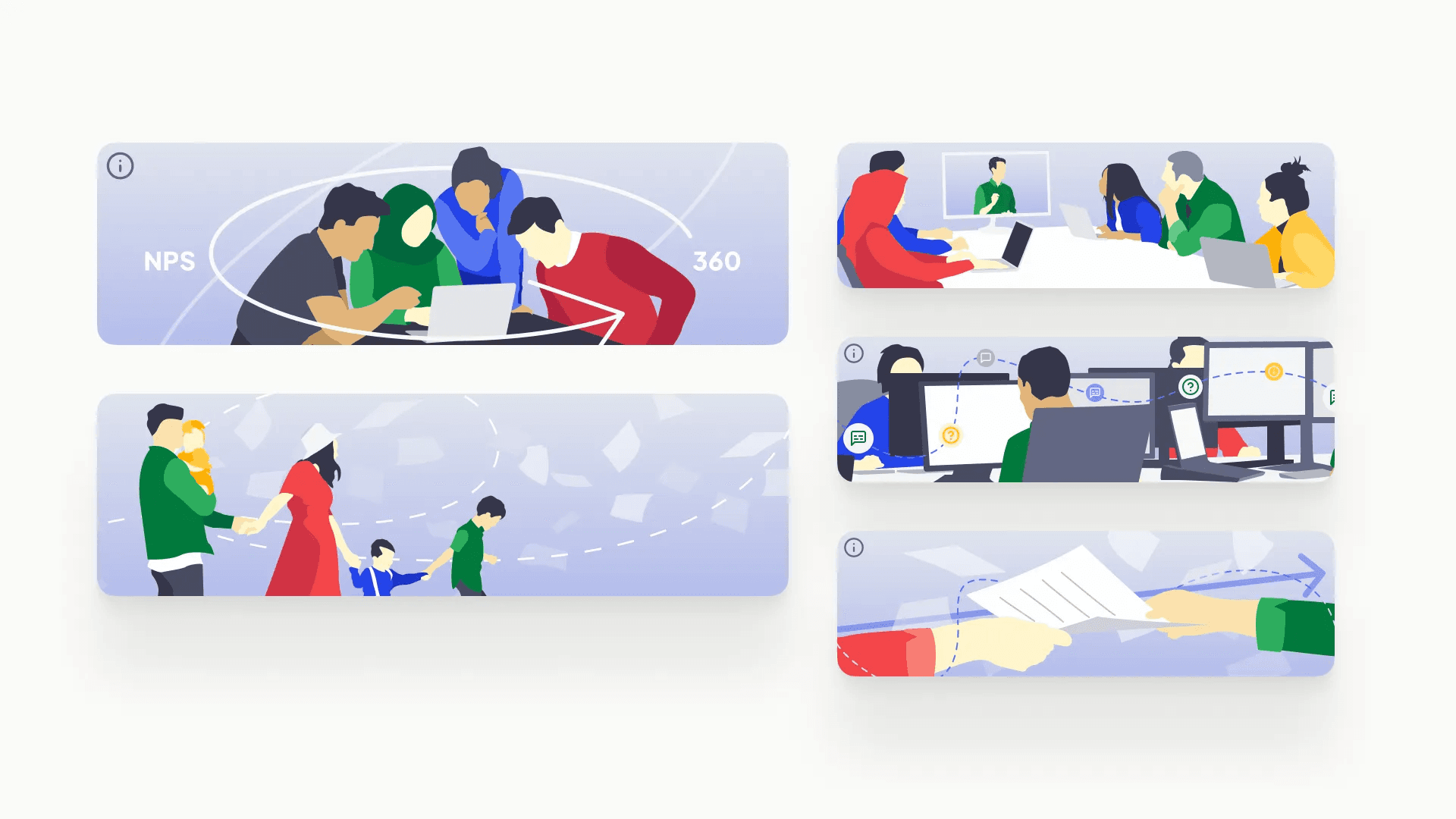
There are illustrations that were required to support specific features, 11 illustrations in total, including the additional four that are not shown here.
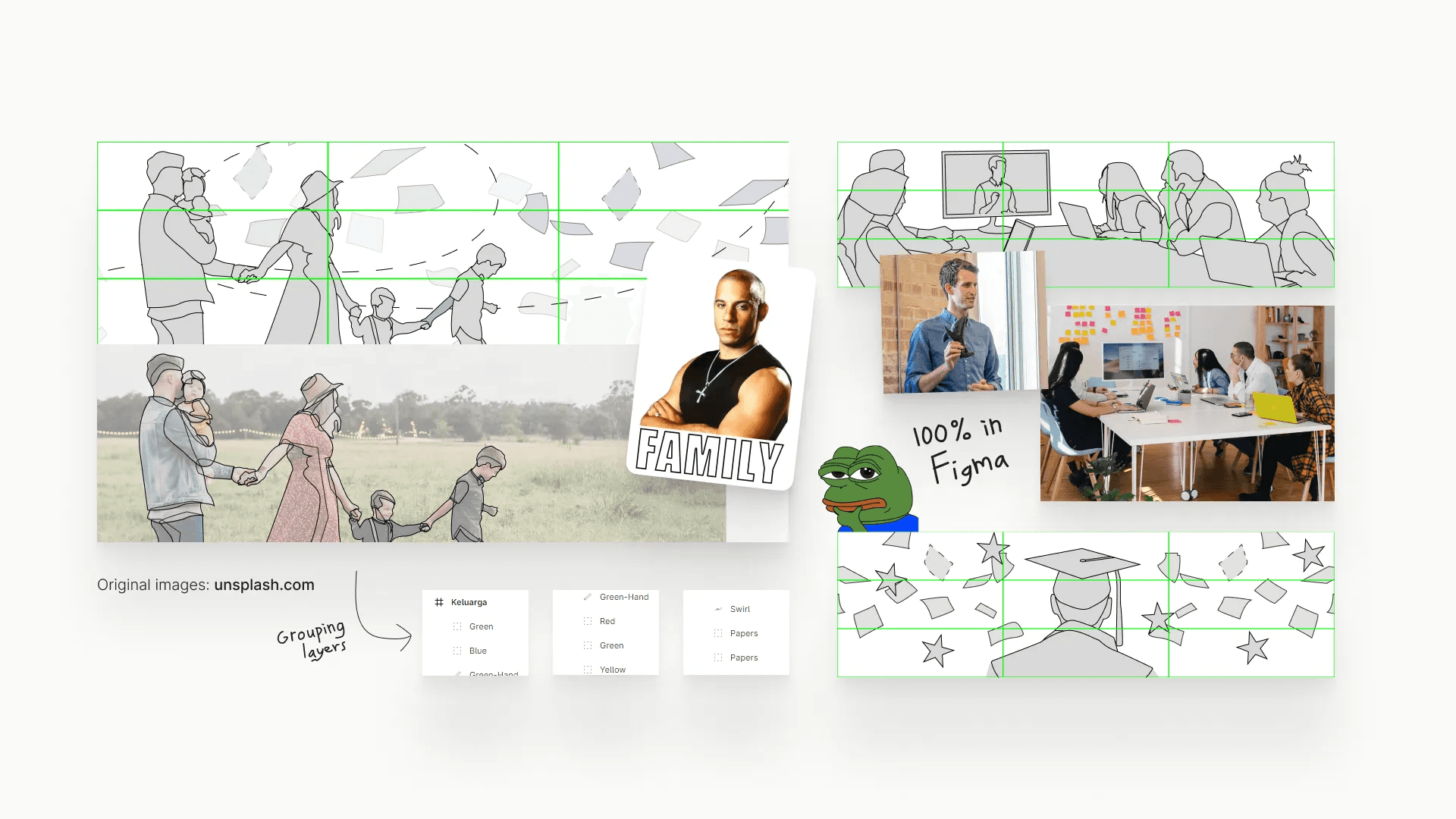
Even though my primary method in illustration involves tracing, I also incorporate sketching and implement design principles such as the rule of thirds to create a well-balanced composition.